
The problem: the formatting becomes ill in translation
The english version has no problem:

While the chinese version is ill
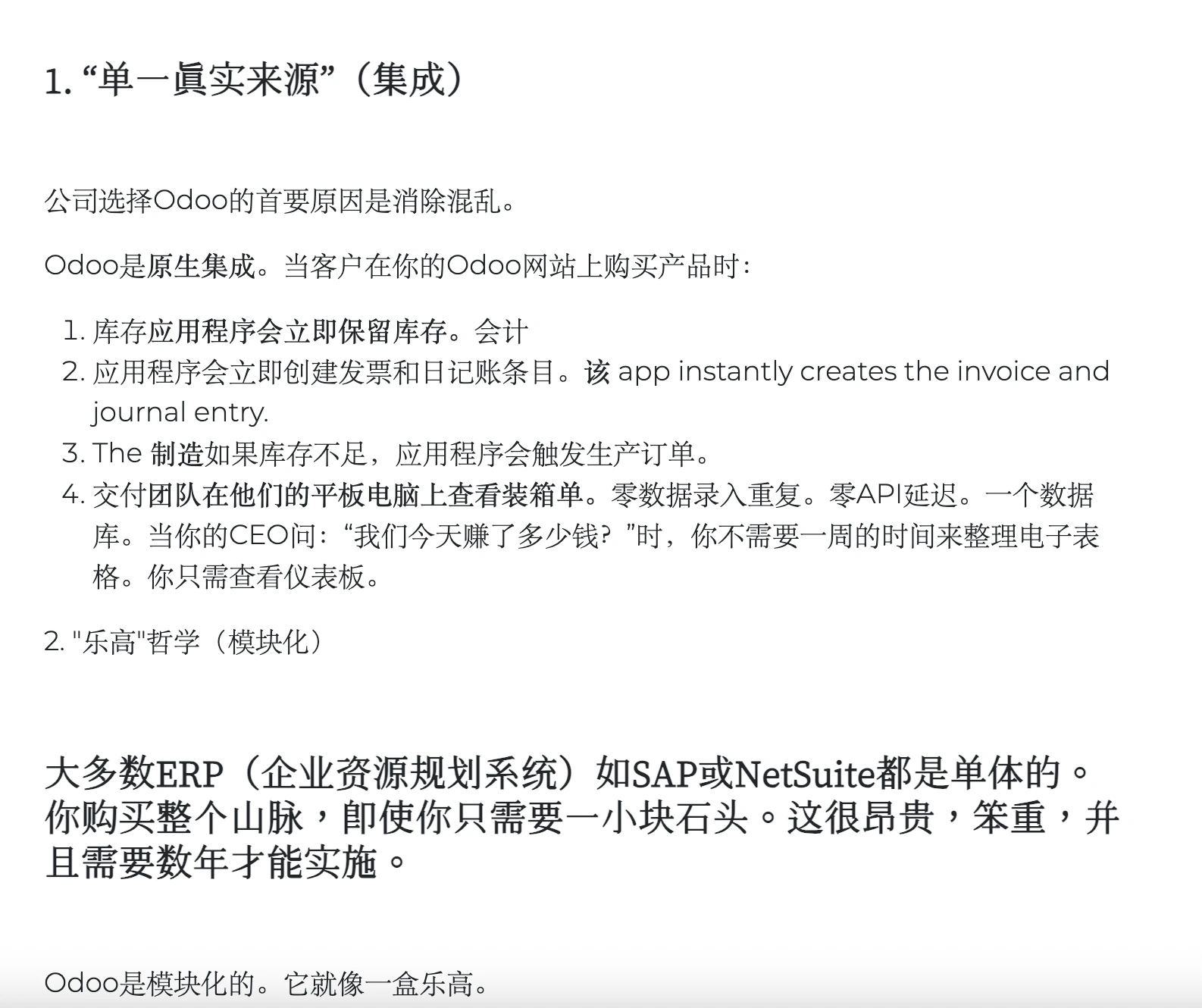
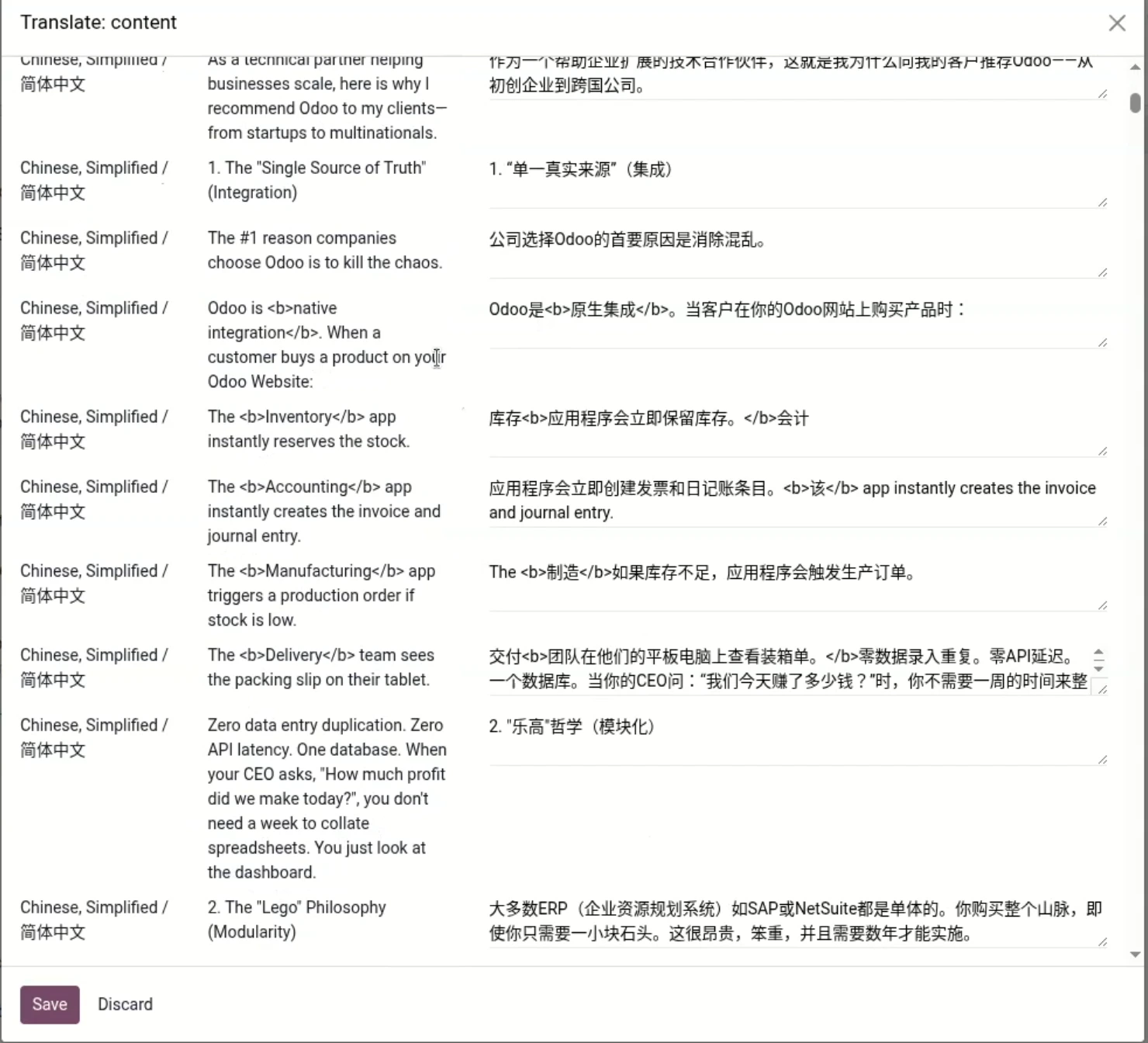
In details, after change to chinese version, we can see the mismatch:
In the original / English version, the header is bolded and using a bigger font:
2. The "Lego" Philosophy (Modularity)
But in Chinese version from translation, it becomes a normal paragraph:
2."乐高"哲学(模块化)
While the paragraph following it becomes bold and large, which is also not what we want.
The reason
What you are seeing is related to how Odoo handles website translations. When a page is translated, Odoo creates a translated version of the content based on the layout and formatting at that moment. This means that headings, font sizes, and styling are copied only once during the initial translation.
How to fix: with a magic trick
NOTE: the fix is not that simple for a newbie, but is also not that hard for a person with some coding experience.
- Go to "Settings", under "Developer Tools", click "Activate the developer mode".
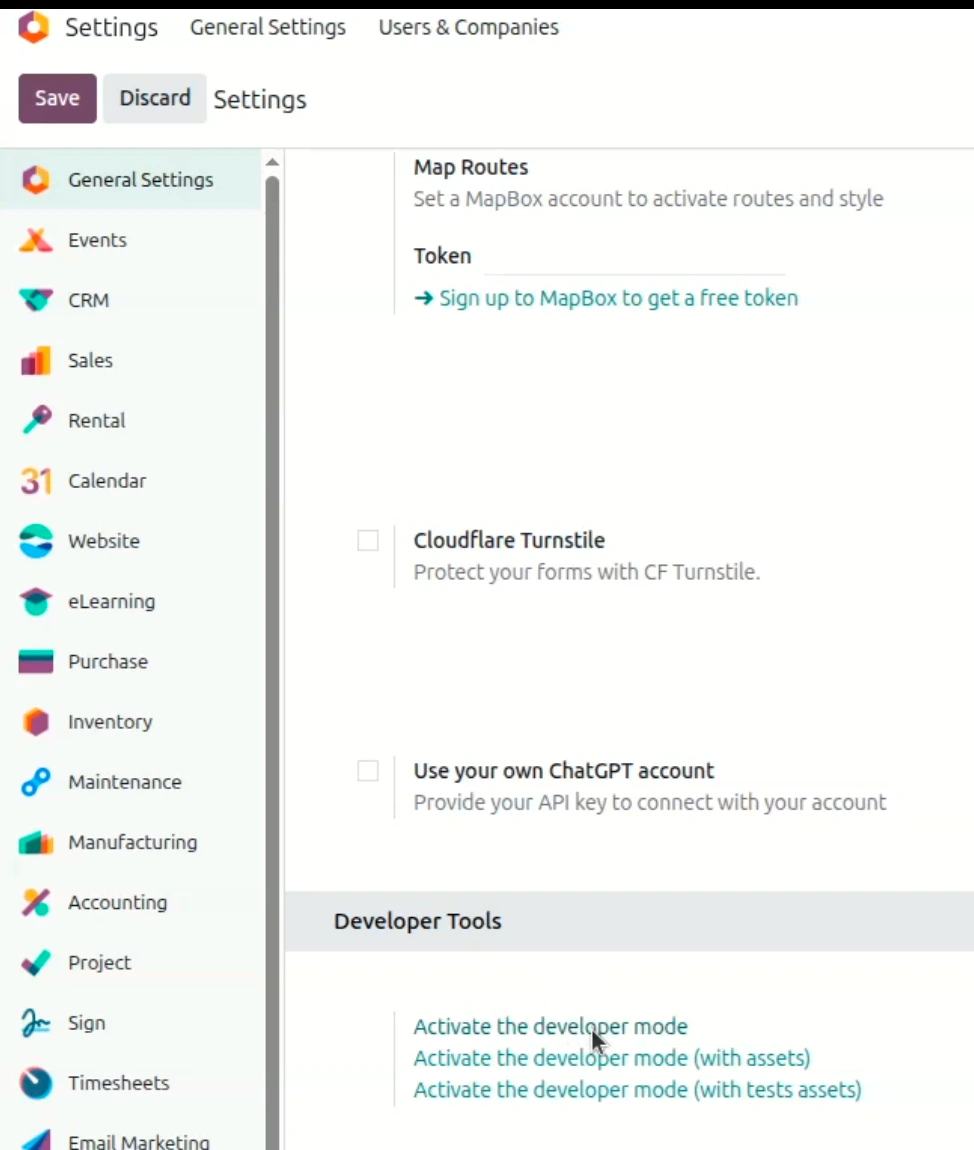
2. Go to "Website" - "Site" - "Blog Posts"
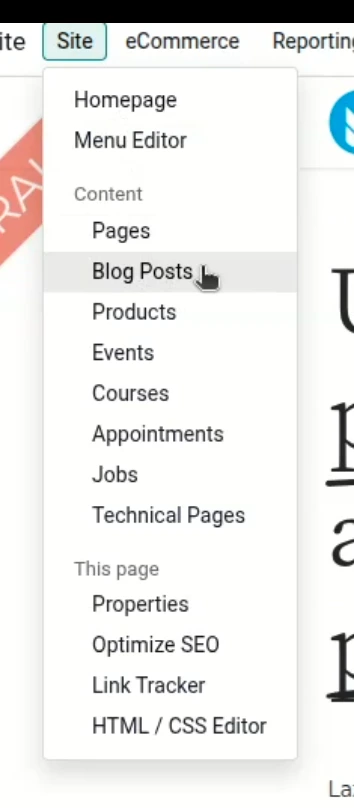
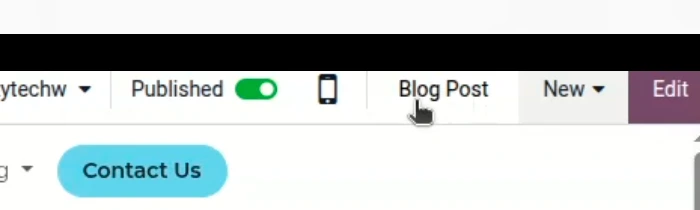
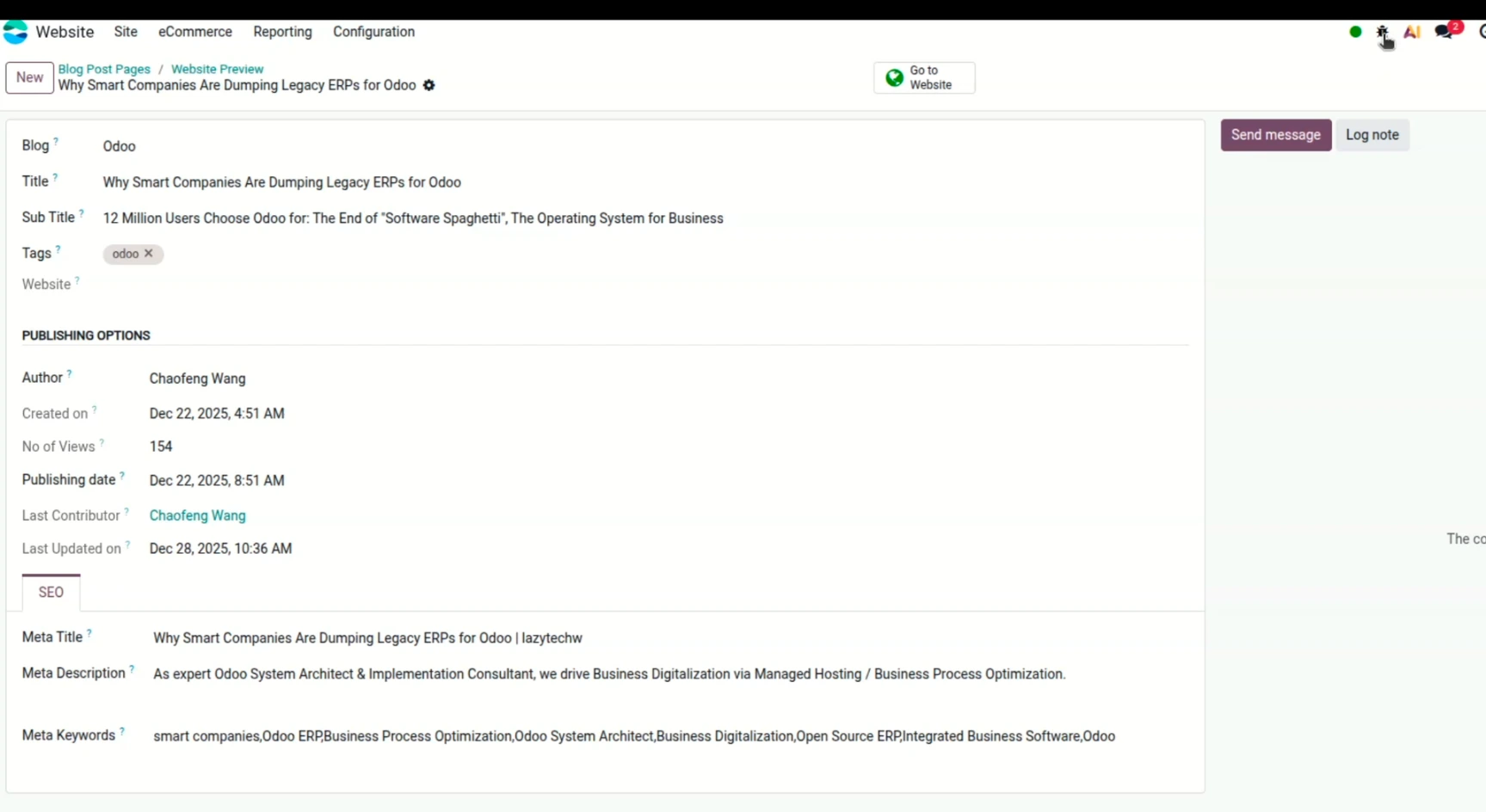
3. Find the blogpost with translation error, open it, and click the "Blog Post" on the top right to open the Blog Post form.
4. Here is the Blog post form view (see below). Now click the "bug" button on the top right (look, there is a mouse hand).
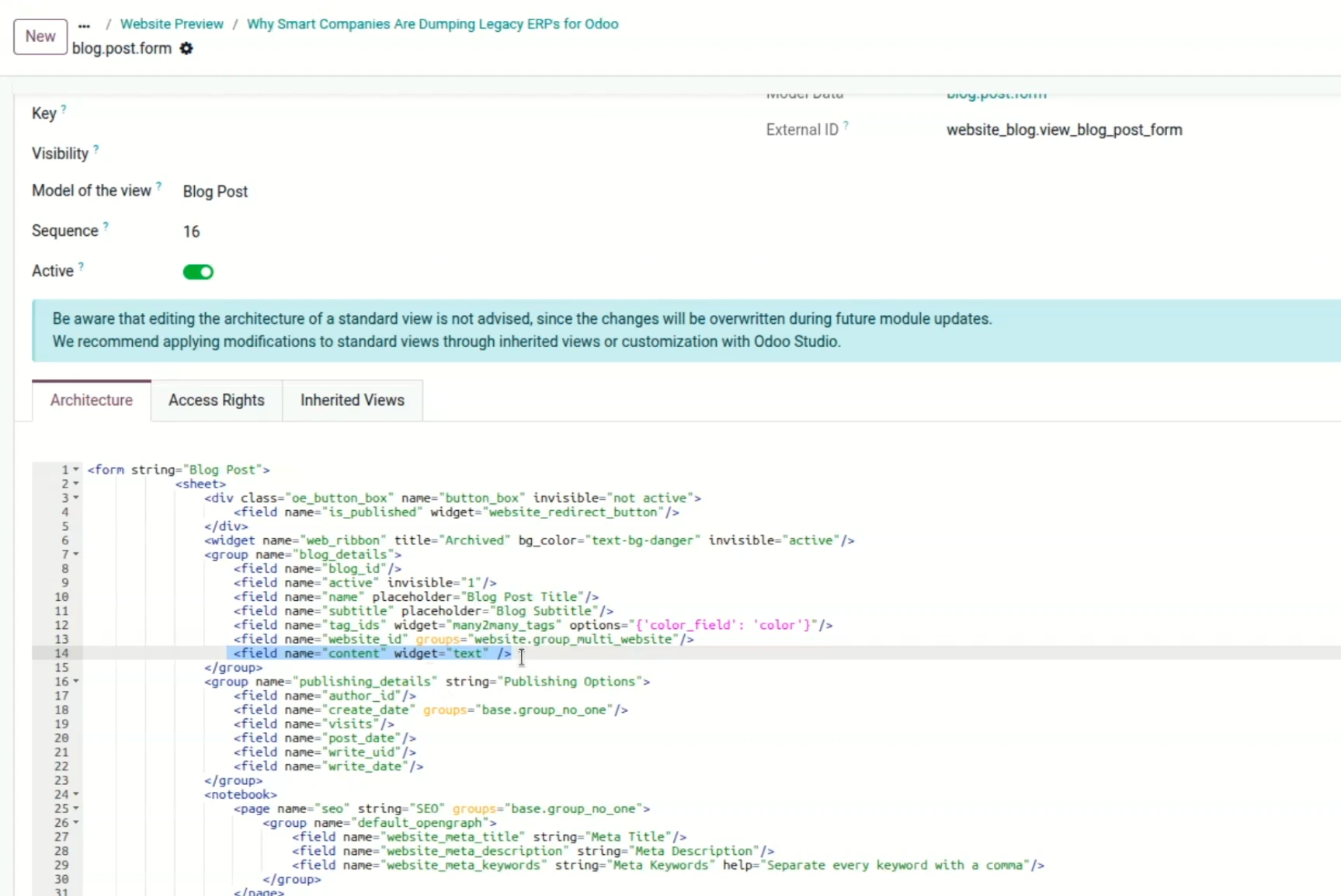
5. Now it's the most magician step: add the html as highlighted below, right after "website_id", and click save:
<field name="content" widget="text" />
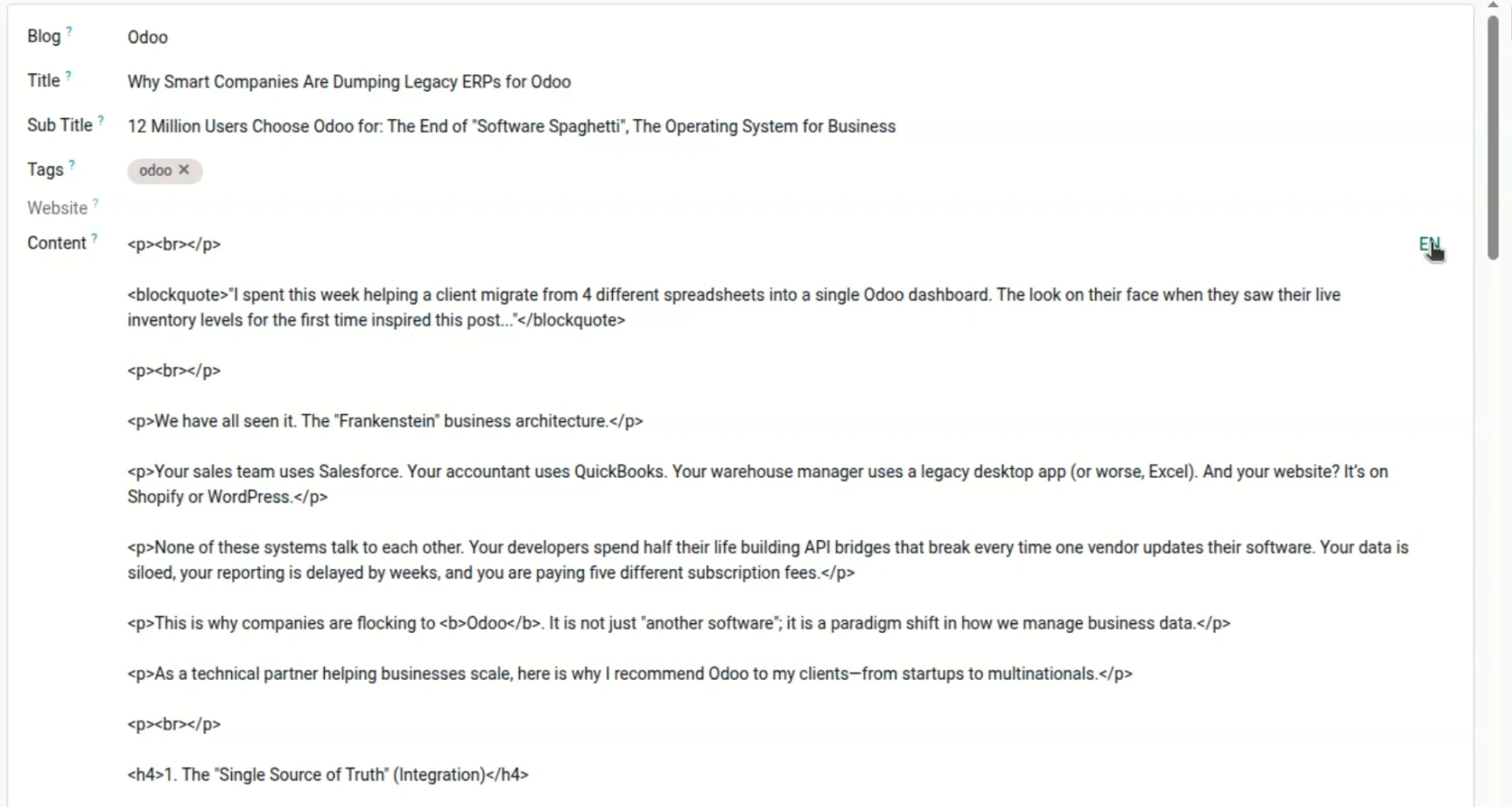
6. Magic happens: there is a new form field called "Content". Click the "EN" for translation.
7. Now we can see the mismatch between my original english text and my Chinese translation. We can fix it manually, easily.
How to avoid
Need help?
If you need any Odoo help, please feel free to contact us. We provide Odoo service for your ease.