
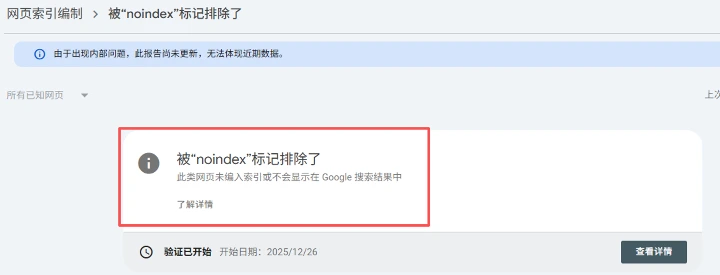
The problem: Excluded by the "noindex" tag
During writing blogs and webpages, optimizing for SEO is a must - we want to be seen and heard, and be connected with our audience.
While from time to time, Google may warn you that your pages are not indexed - which means your webpages will not show in Google search results, which is a big bad news, for us the diligent writers.
The warning looks like below:
How to pinpoint the cause
There are two possible places that prevent Google from indexing your pages:
- The meta tags in the HTML.
<meta name="robots" content="noindex"/>
- The HTTP headers, like:
X-Robots-Tag: noindex
GUI: Developer tool in Google Chrome
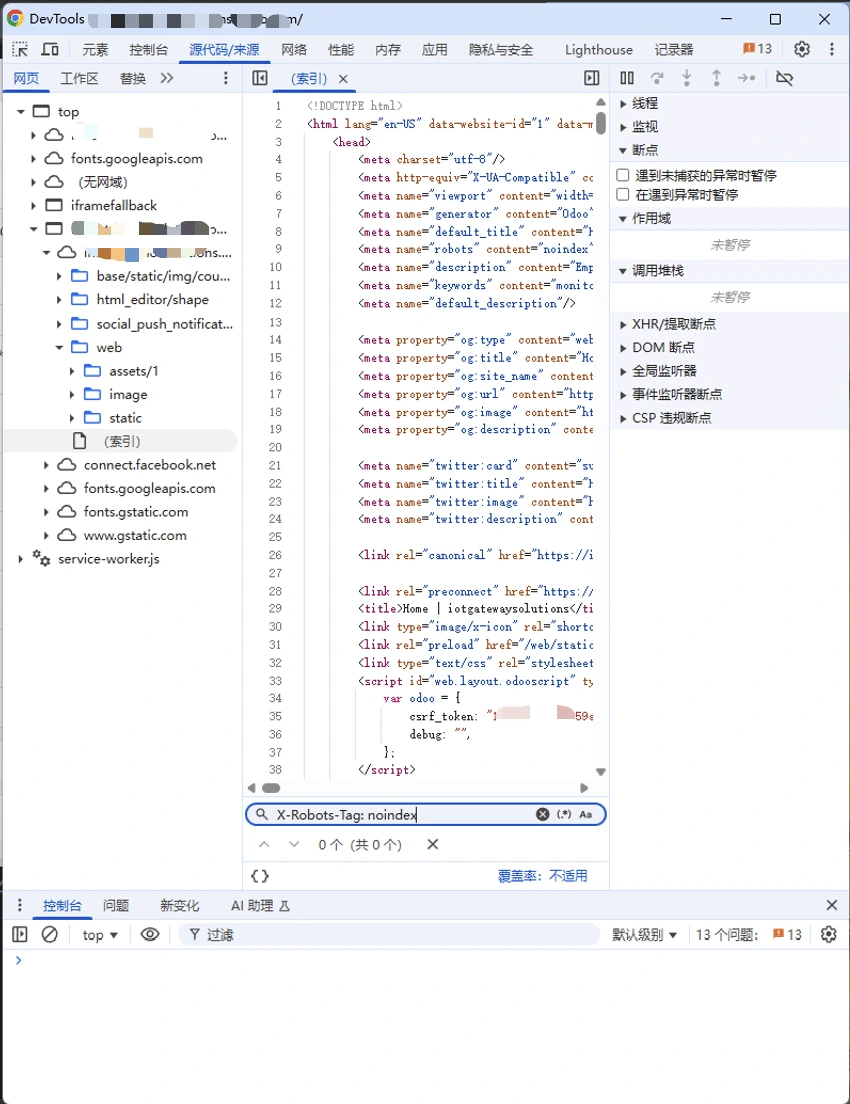
For HTML, you can directly open Developer Console in Google Chrome, and search for "noindex".
CLI: curl, to check the HTML and HTTP HEADERS at the same time
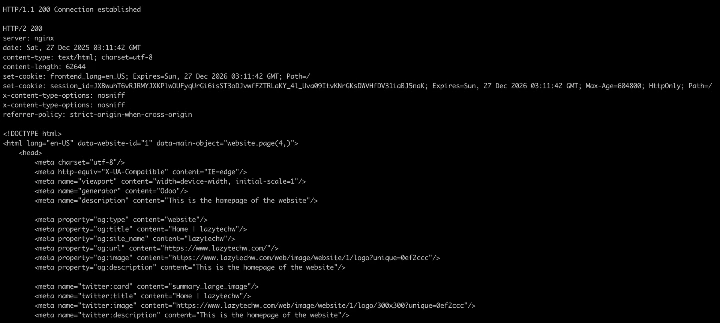
For people with some coding skills, personally command line is better and faster, and it also can check the HTTP headers at the same time.
The CLI (remember to replace the URL below with your own website):
curl -iL https://lazytechw.com/ | head -n 50
We can see all the HTTP HEADERS and HTML meta tags here:
How to fix in Odoo
Since we found the "noindex" in our HTML, definitely it's because of some configuration from Odoo, so we need to figure out how to fix it in an Odoo way.
We can go to "Website - Pages" view, and in this view we can see "Is Indexed" column. We must set the pages we want Google to index to have this value checked.
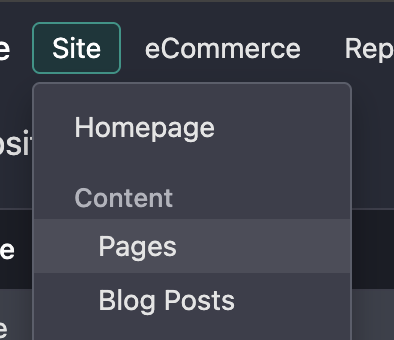
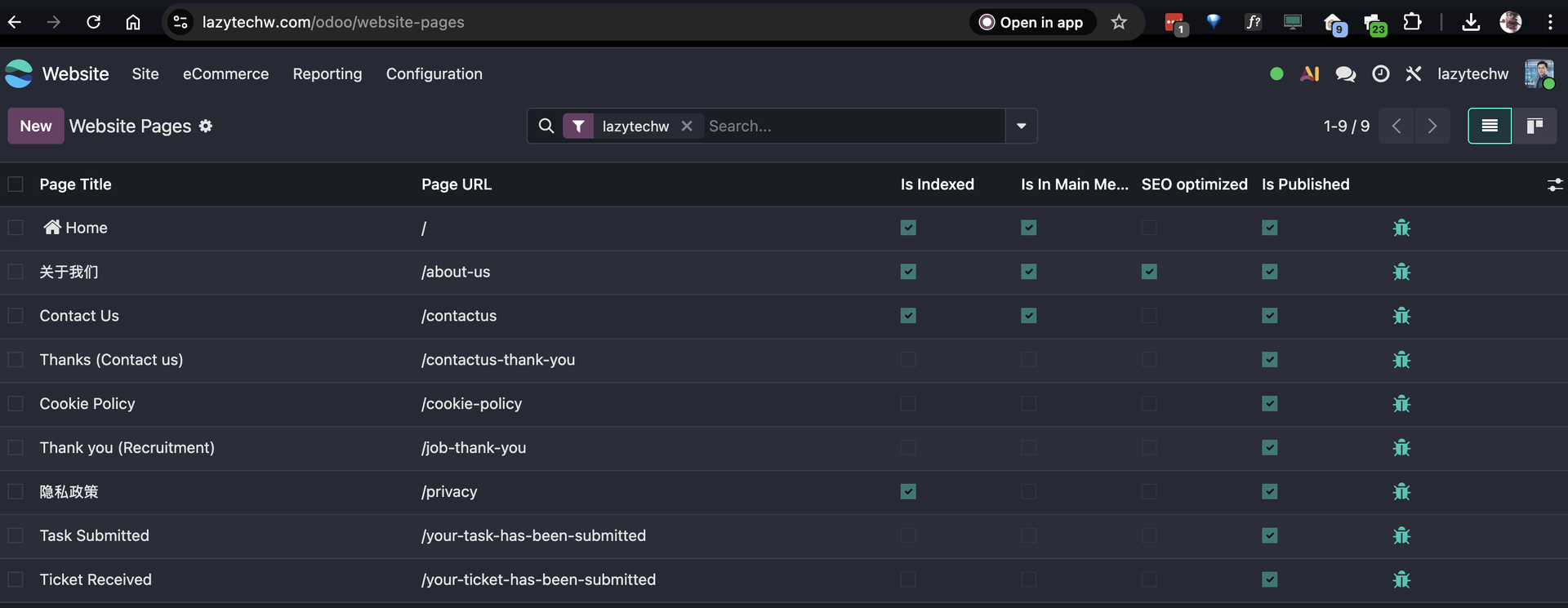
We can't change it here. To toggle it, we go to:
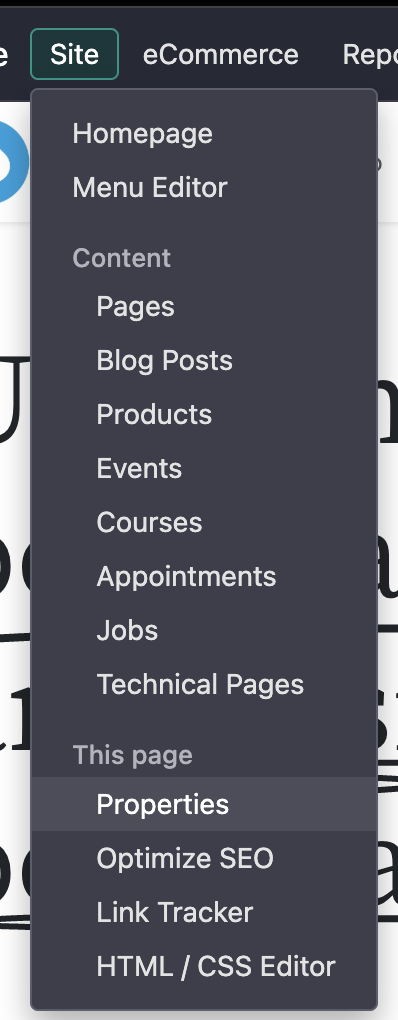
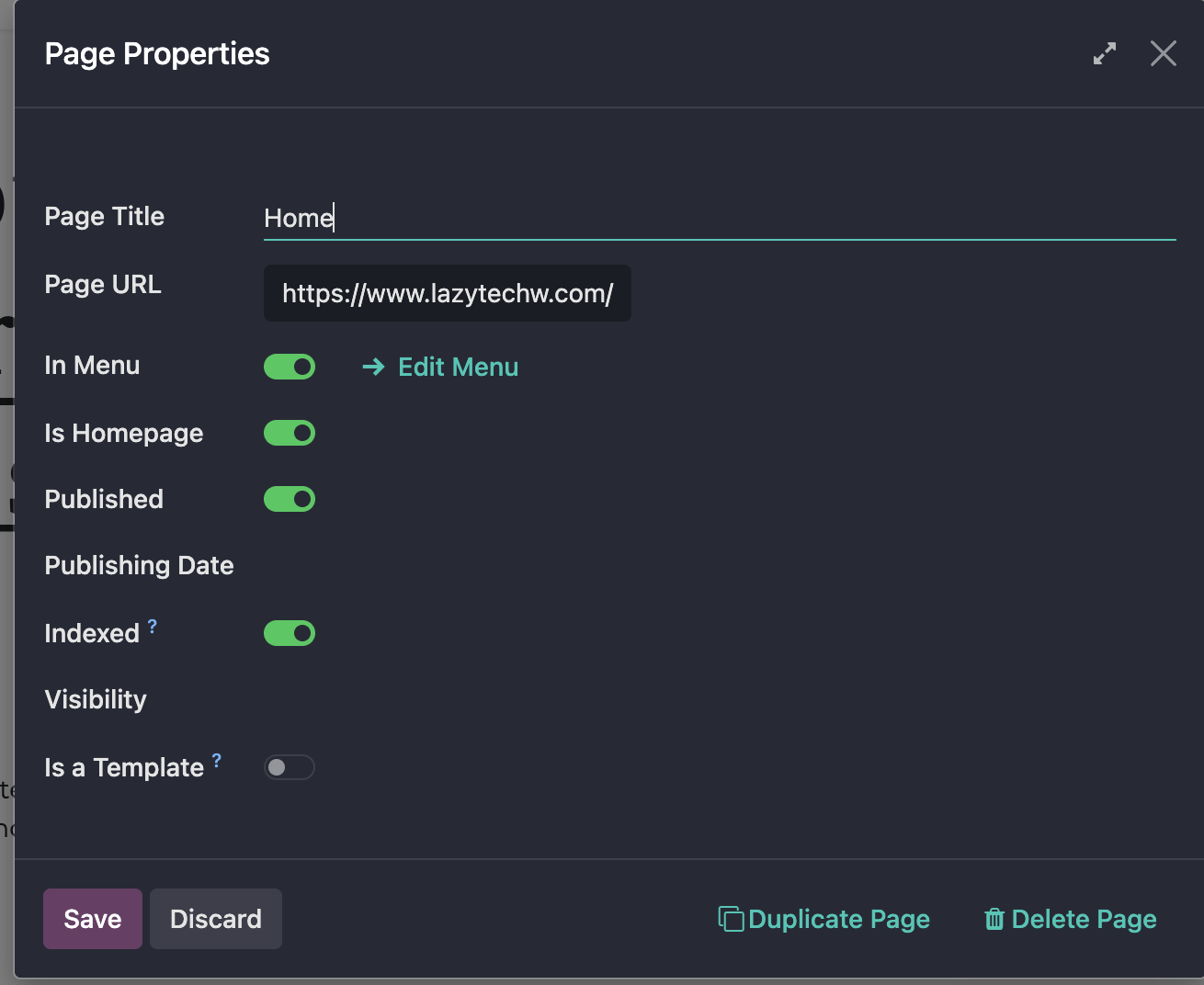
Turn "Indexed" on on the "Page Properties" view
Then go back to Google Console and ask them to validate.
Contact US for help
LazyTechW as an Odoo partner, we are happy to help SME and startup CEO's to deploy the best IT practices.
We are here to be friends and partners. Feel free to contact us for help.